Big goals, daily tasks
The best app to turn your life around is the one that gets you off your phone

No app changes your life. Doing a few small, real things every day does, and the right app makes those things impossible to skip.
Look for three things: it turns a big goal into today's tasks, someone sees whether you did them, and it keeps you off the apps that eat your day. That is what TaskSocial is built to do.
Why most “life-changing” apps don't change much
Search for the best app to change your life and you get journals, vision boards, habit games and AI planners. They feel great on day one. By week three most of them are another icon you stopped opening.
What usually happens
- The plan lives on a screen, so improving your life means more screen time
- You do it alone, so nobody notices when you stop
- Goals stay big and vague: “get fit”, “start the business”
- Instagram and TikTok are one tap away the whole time
What actually works
- The app is a quick list; the work happens in real life
- Friends see your progress, so skipping costs something
- Every goal is broken down into something you can do today
- The apps that eat your time stay locked until the work is done
Dream, month, week, today
Big goals become real when they shrink to something you can finish before dinner. Work down four levels:
You don't rise to the level of your dream. You get there one checked-off day at a time.
The rest of this page is how TaskSocial handles each part, so the plan survives the week.
1. Today's list, quicker than paper
Your day is one list. Add a task in a couple of taps, check it off when it's done. It's always in your pocket, so there's no notebook to forget and no system to maintain.
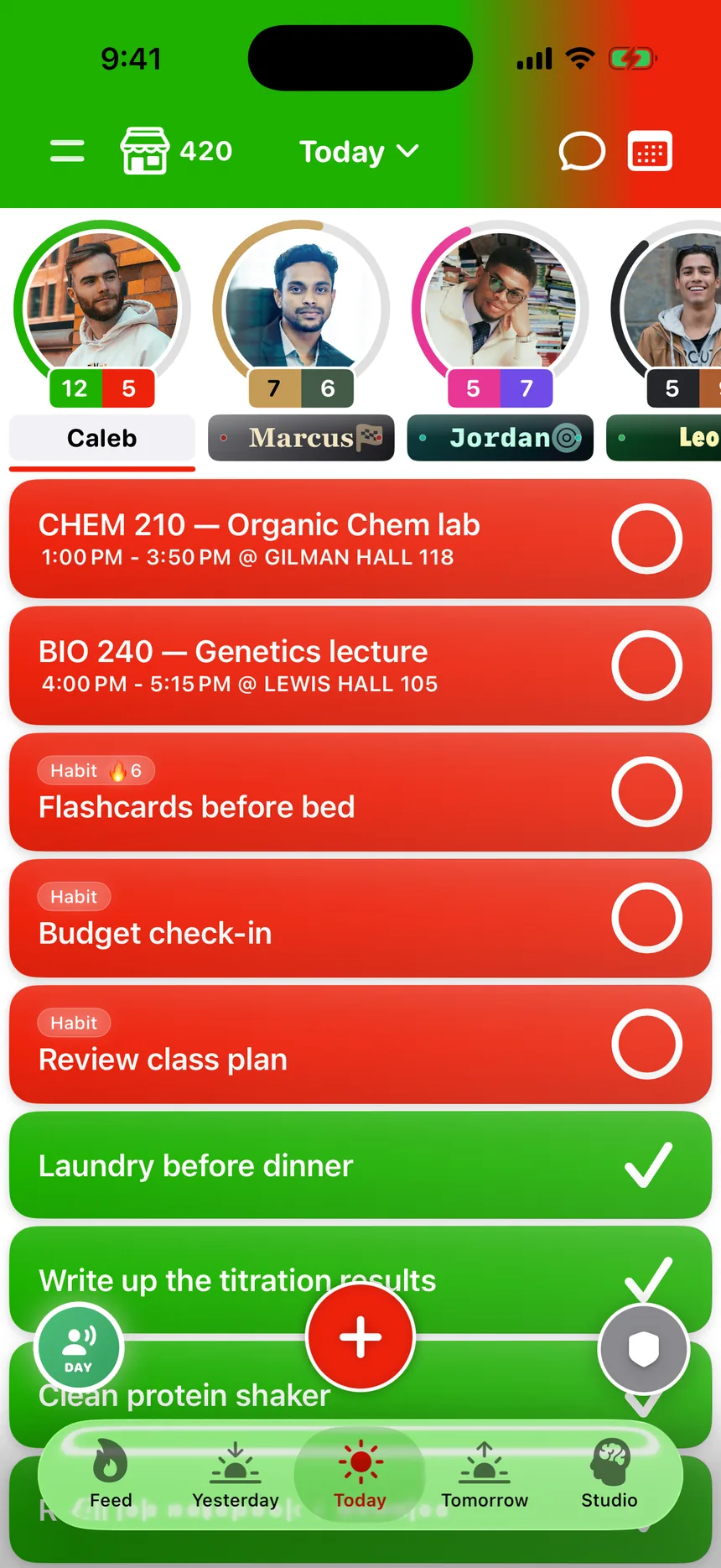
Use lists for anything bigger: a list for the half marathon, one for the business, one for the class. Each one breaks the goal into steps you pull into today.
2. Friends who see whether you did it
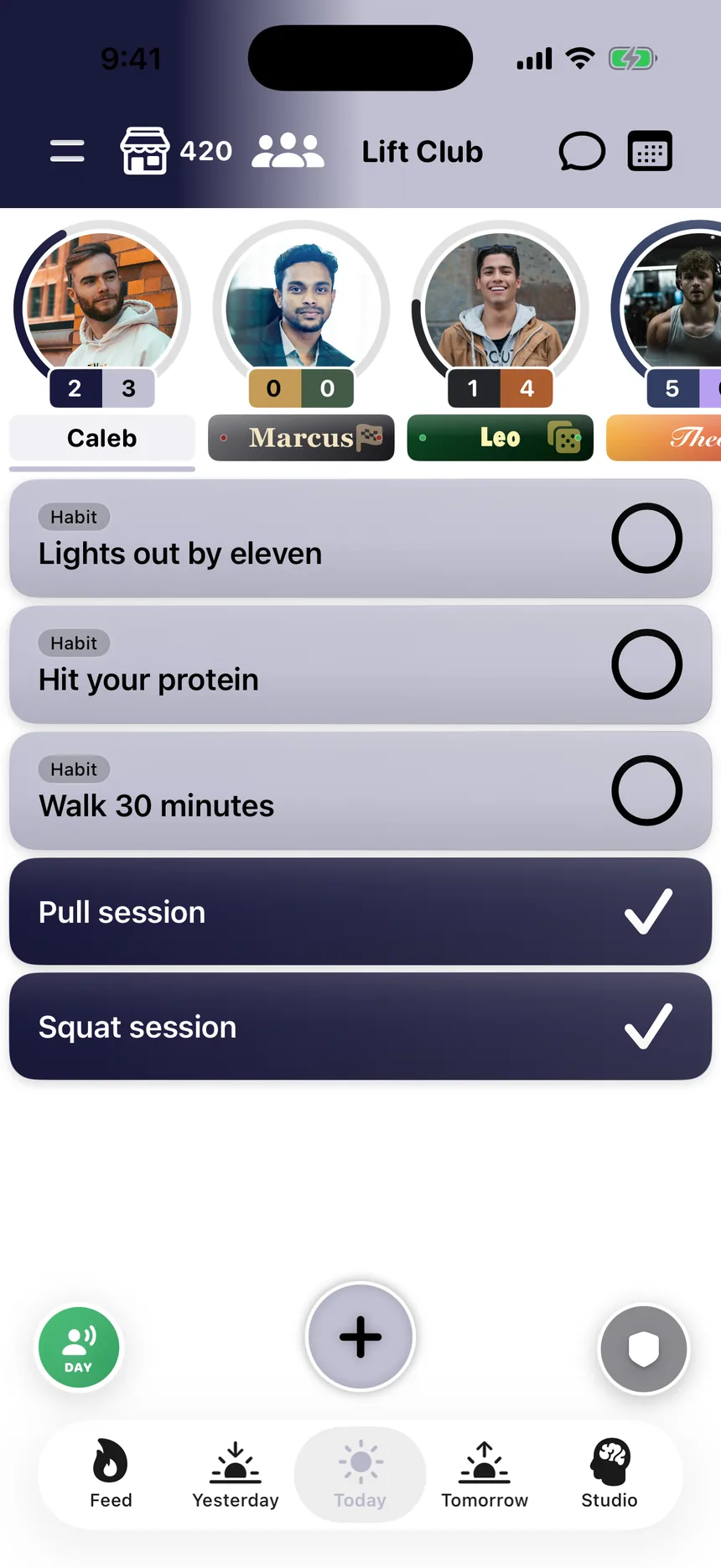
This is the part most apps leave out. Add a few friends and they see your progress for the day, and you see theirs. When you check something off, it shows up in the Feed, where they can react and cheer you on.
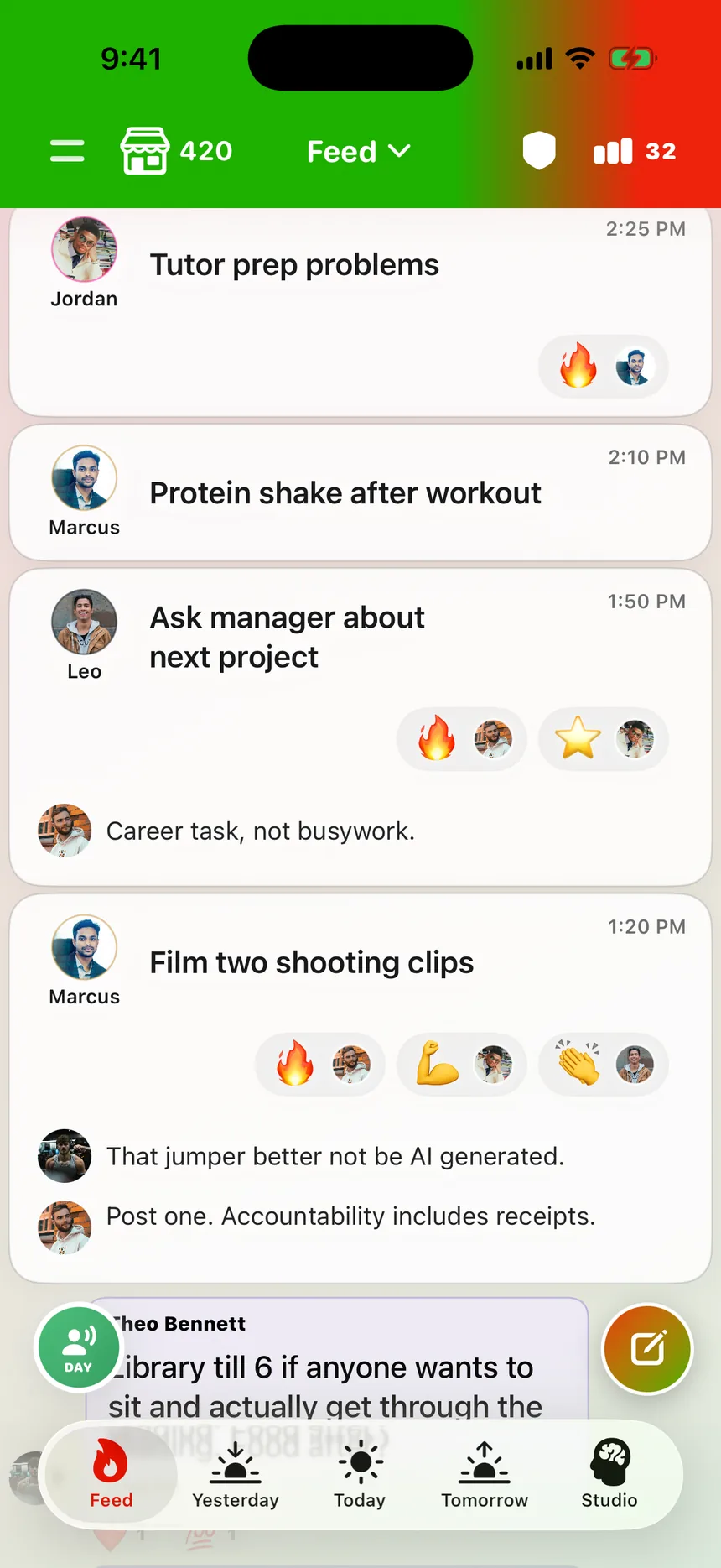
Nobody wants to be the friend with an empty list at 9 pm. That small bit of social pressure does more for follow-through than any streak counter.
Your task details stay between you and your friends. People who aren't your friends only see your public profile.
3. Focus Mode: your apps stay locked until the work is done
Most app blockers lock Instagram for 25 or 60 minutes, whether or not you did anything. TaskSocial's Focus Mode can lock the apps you choose until certain tasks are done or a number of tasks are done. You can still lock by a length of time or until a time on the clock if you want.
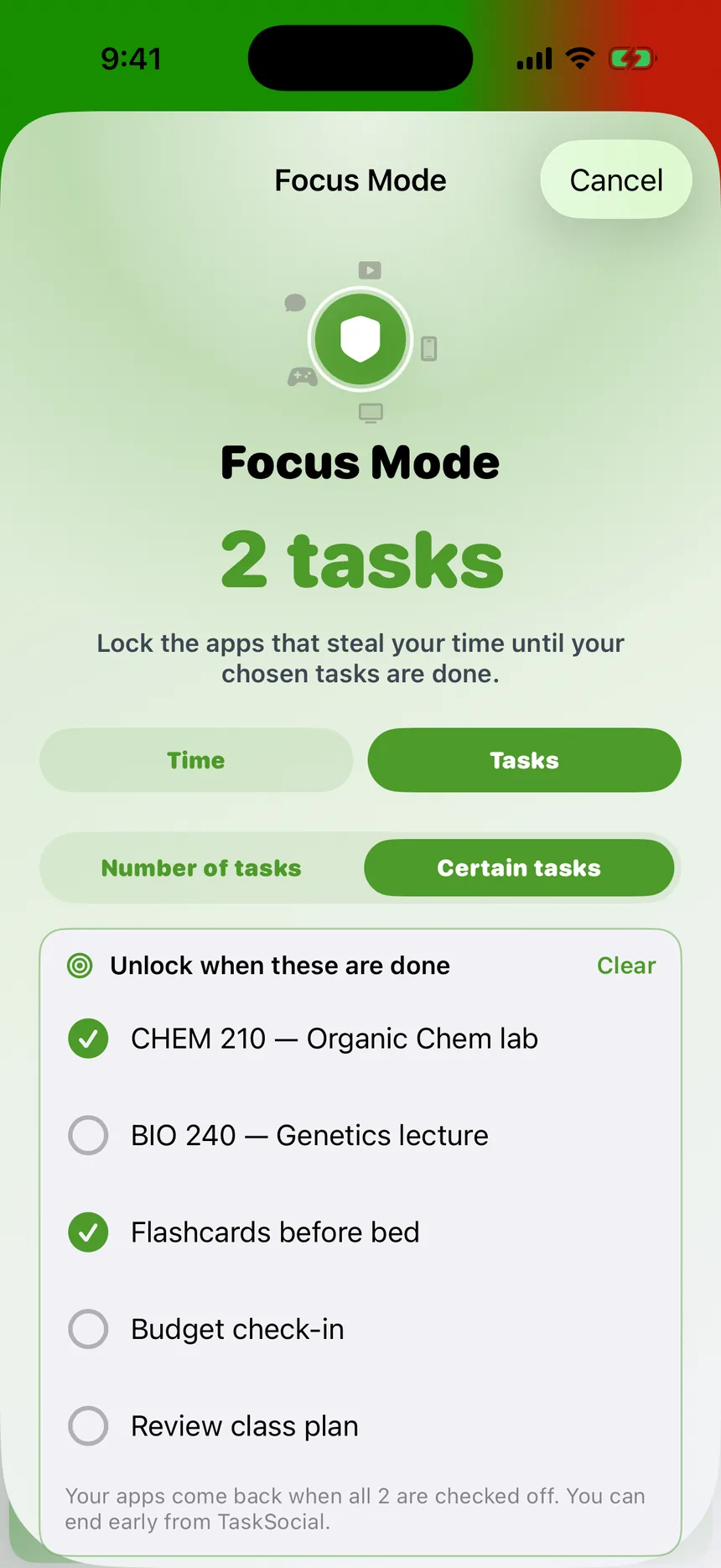
Finish the run, and TikTok opens. Sit and scroll the timer out, and it doesn't. That turns the time you'd have lost into the task you'd have skipped. More on why that matters.
Solo Focus Mode is part of TaskSocial Plus. Focusing with a friend is free.
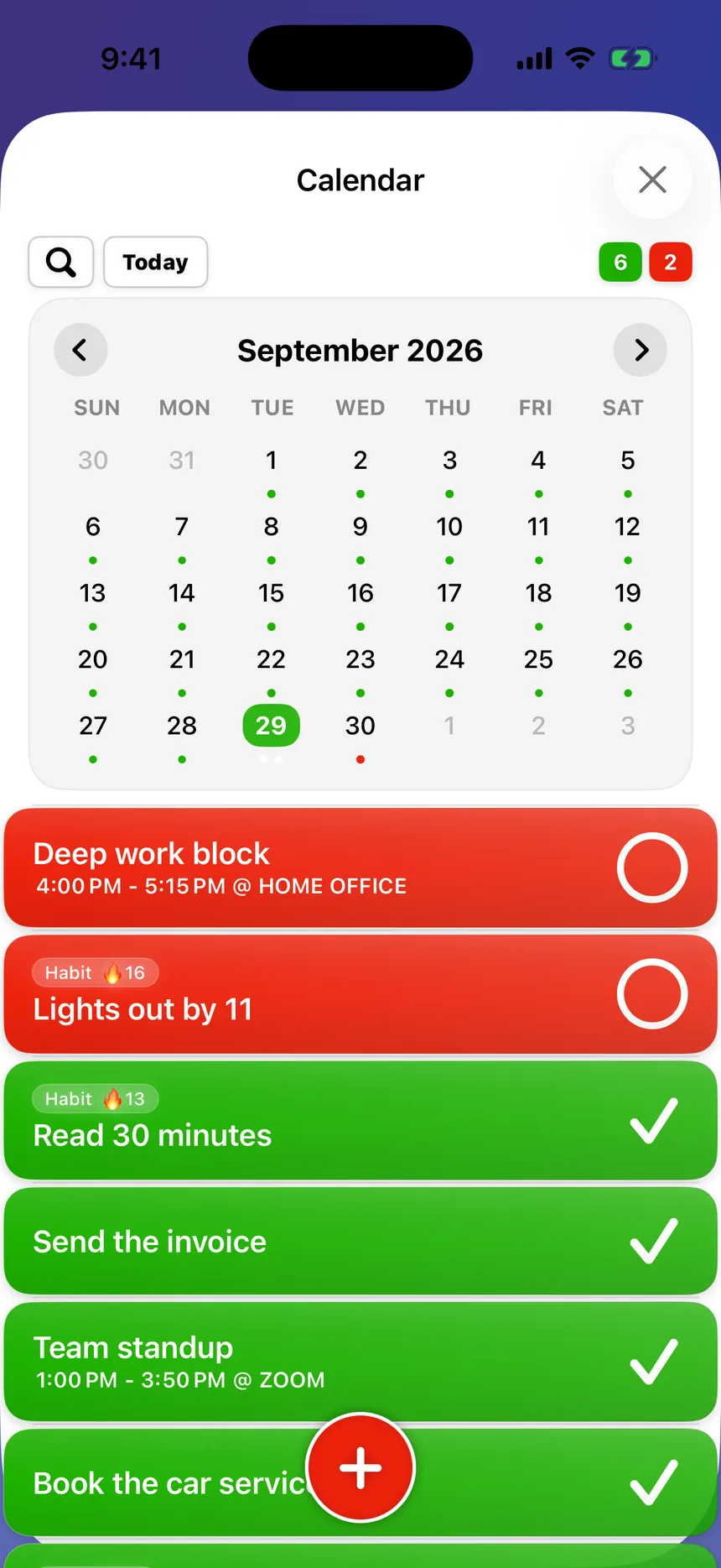
4. Plan ahead and watch the month add up
Put this week's steps on the days you'll do them with the calendar. Each finished day fills in, so you can see a month of real progress instead of guessing. With TaskSocial Plus, a weekly report shows what you got done.
5. Check in, reflect, keep the dream in view
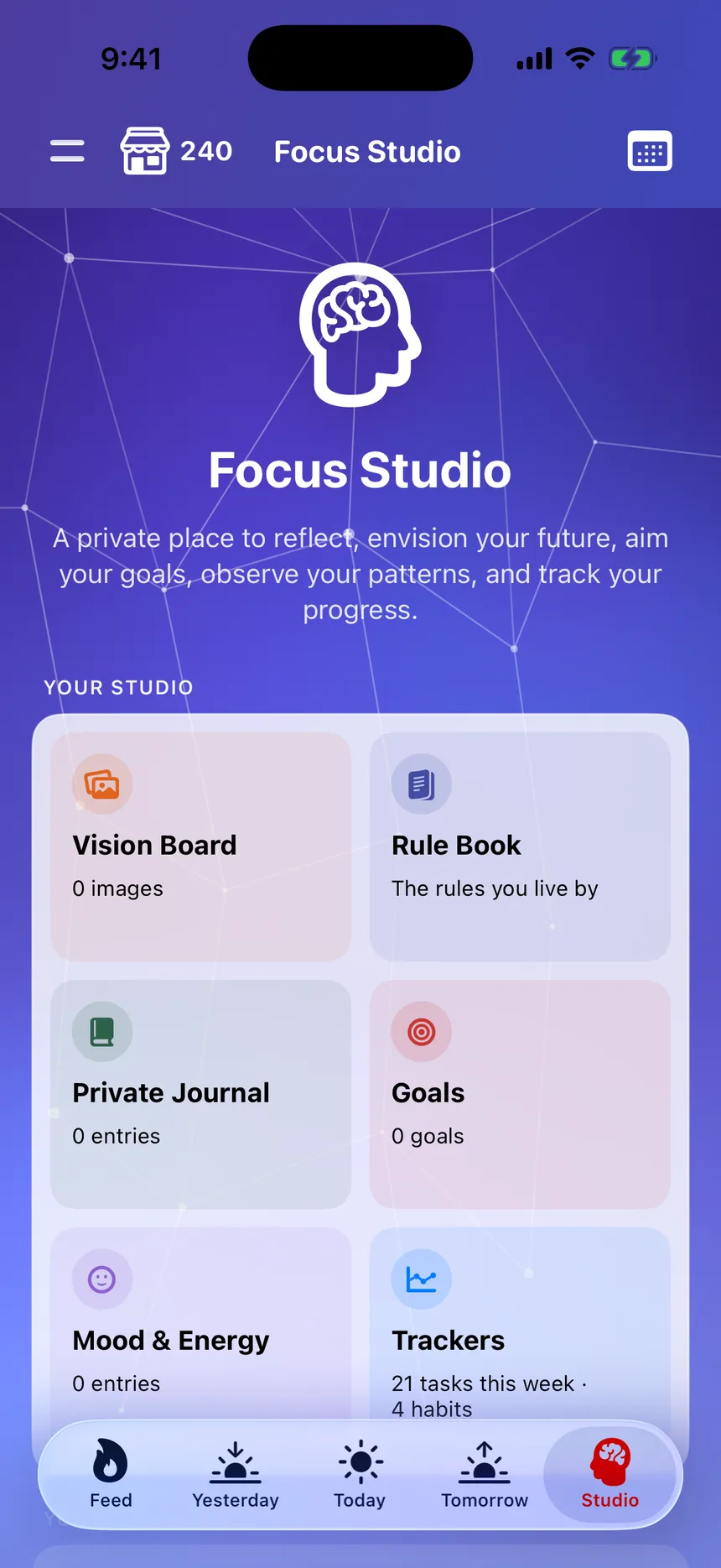
A daily check-in takes seconds: rate your day and add a note, photo, video or voice note. Focus Studio (TaskSocial Plus) holds the bigger picture: your goals, a journal, a vision board and your mood over time.
6. Join people going for the same thing
Communities put you in a group with a leader and a shared goal. The leader sends task sets straight onto your list, runs live sessions and answers questions. Study Hall, for college students getting through finals, is the first.
Less scrolling, more living
The point isn't to spend more time in a productivity app. It's to spend less time on your phone and more time doing the things that change your life: the run, the study session, the calls, the time with people you love.
TaskSocial is designed to be opened, used for a minute, and put down. If you finish your day's tasks and close the app, it did its job.
When another app fits better
If what you need is to actually do the things on your list, with people who notice, TaskSocial is built for exactly that.
Common questions
Is there an app that can actually change your life?
No app does it for you. The ones that help turn a big goal into small daily tasks, make someone else aware of whether you did them, and keep distracting apps out of the way. TaskSocial does all three.
What is the best app to become more productive?
For personal goals, pick an app that is quick to use and adds accountability. TaskSocial is a to-do list you share with friends, with Focus Mode to keep distracting apps locked until your tasks are done. For team projects, Todoist or TickTick are stronger.
What app helps you achieve your dreams?
One that breaks the dream into this month, this week and today, then helps you finish today. In TaskSocial you add today's tasks, friends see your progress, and communities give you a leader and a group going for the same goal.
How do I stop scrolling and start doing?
Lock the apps you scroll until your tasks are done. TaskSocial's Focus Mode can keep apps you choose locked until certain tasks, or a number of tasks, are checked off.
Is TaskSocial free?
Yes. The to-do list, friends, the Feed, communities and focusing with a friend are free. TaskSocial Plus is an optional subscription that adds solo Focus Mode, Focus Studio, the weekly report and Plus themes; its price is shown in the App Store.
Keep reading
Turn today's plan into done
Add your tasks, add a few friends, and lock the apps that eat your day until the work is finished. Free on iPhone and iPad.