Focus Mode
A focus timer that ends when the work does

A focus timer locks your apps for 25 or 60 minutes whether you worked or stared at the wall. When it ends, you get your apps back either way.
TaskSocial's Focus Mode can keep the apps you choose locked until real tasks on your list are done, and your friends see when you finish. The reward is tied to the work, not the clock.
The problem with time
Timers measure how long you sat there, not what you did. You can sit out a timer: half-read a page, reorganise your desk, wait for the bell. The app unlocks anyway, and the task is still undone.
A focus timer
- Locks apps for a fixed number of minutes
- Unlocks whether or not you did anything
- Rewards sitting there
- Nobody knows how it went
TaskSocial Focus Mode
- Locks apps until certain tasks are done (or a number of tasks)
- Unlocks when you check the task off
- Rewards finishing
- Friends see it in the Feed
Four ways to lock in
Start Focus Mode and pick what has to happen before your apps come back:
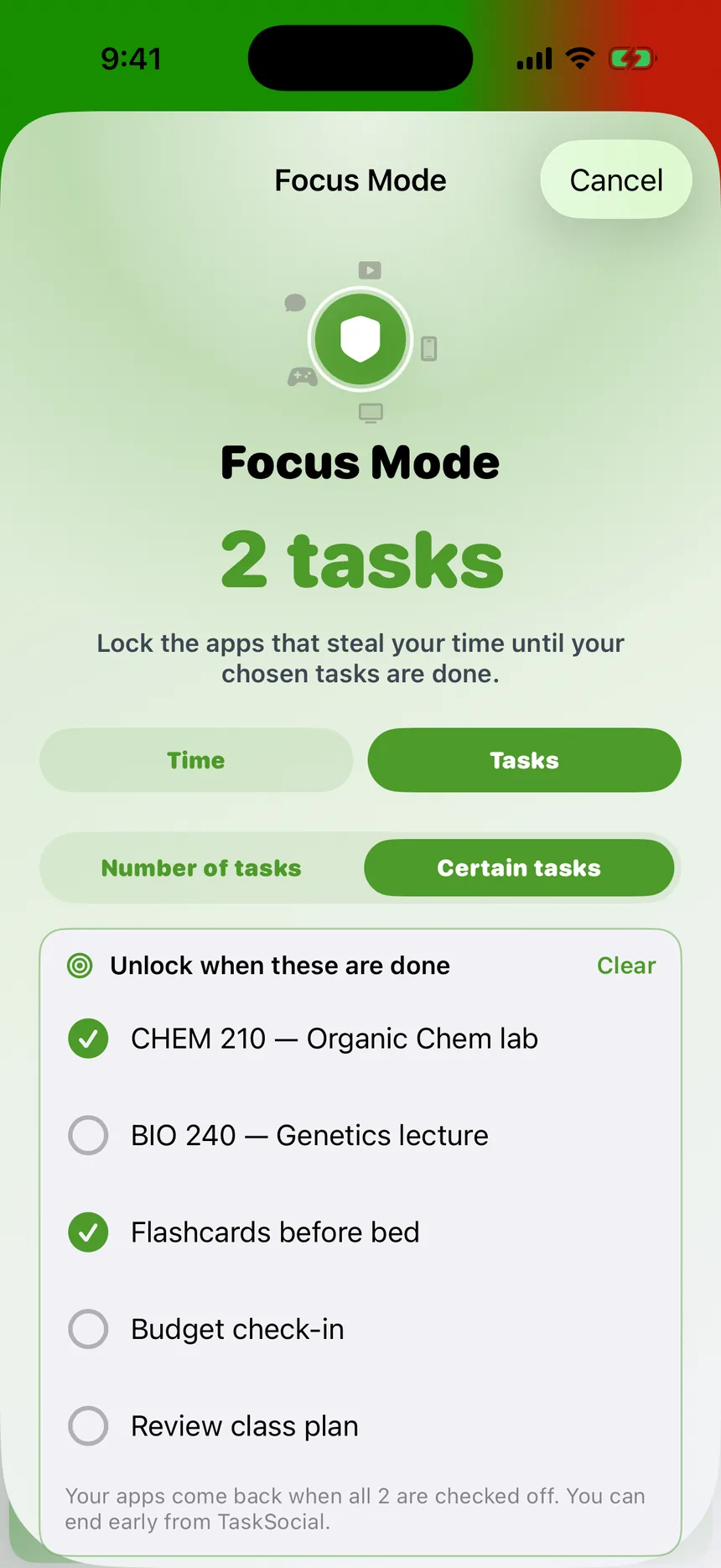
You choose which apps and sites are blocked, using Apple's Screen Time. Solo Focus Mode is part of TaskSocial Plus; focusing with a friend is free.
Real life, with friends watching
A few other apps unlock when you tick something off. What makes TaskSocial different is what the tasks are and who sees them:
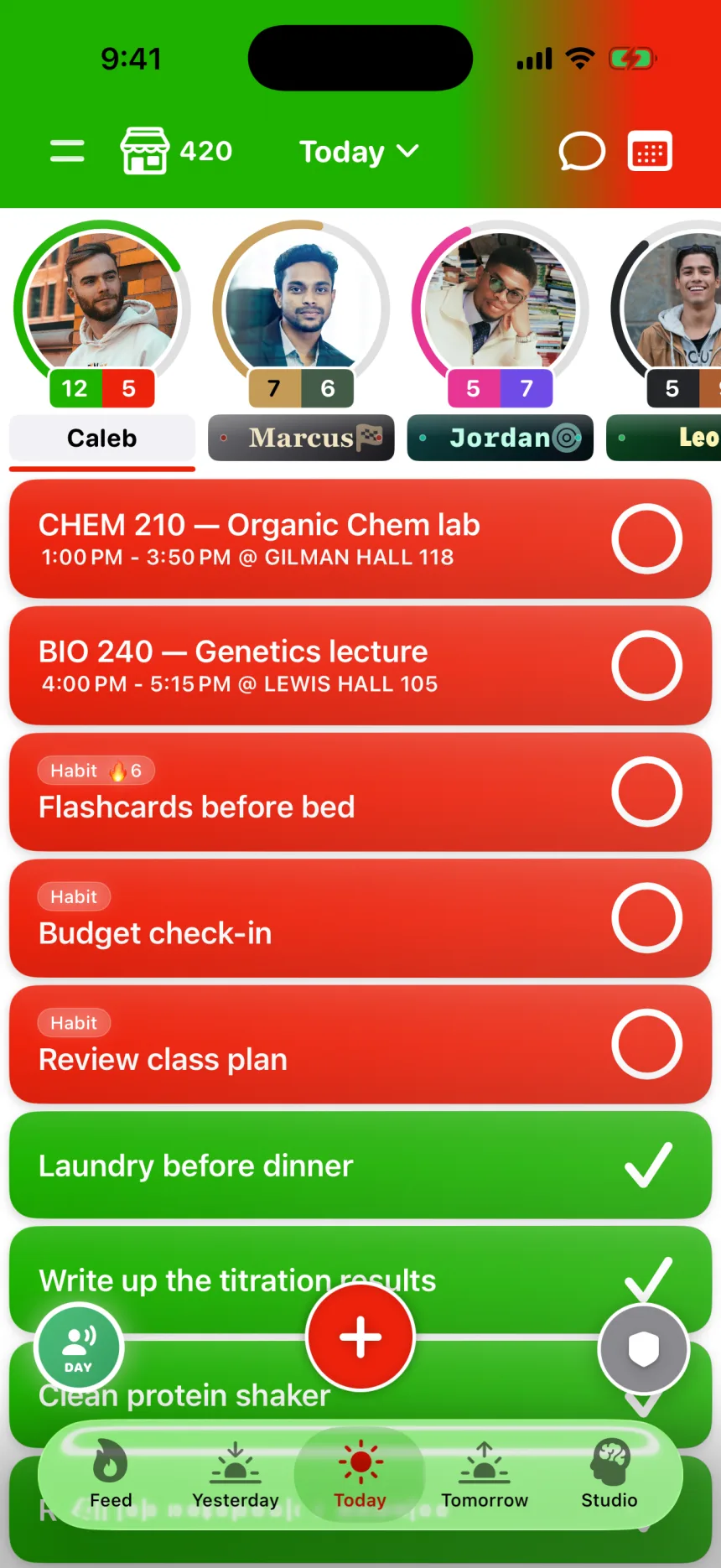
- The tasks are your real day. The same list you use for everything: the run, the laundry, the chapter, the call. Not a separate list inside a blocker.
- Friends see you finish. Starting and ending Focus Mode shows in the Feed, so the people keeping you honest know you did it.
- Focus together. Start Group Focus Mode with a friend and both of you lock in at once.
Easy enough to actually use
It's a to-do list first: quicker than paper, always with you, and fun to check off. Make it yours, add friends, plan ahead on the calendar. Focus Mode is one tap away when you need it, and out of the way when you don't.
How it compares
Each of these is good at what it does. The difference is what unlocks your apps:
- Forest: grow a tree by staying off your phone for a set time.
- Opal: block apps on schedules and sessions.
- one sec: adds a pause before a distracting app opens.
- Brick: a physical device you tap to lock and unlock apps.
- Freedom: blocks apps and sites across devices on a schedule.
TaskSocial: your apps come back when the tasks on your real to-do list are done, and your friends see it. See the best app blockers for studying.
Common questions
Is there an app that blocks social media until I finish my to-do list?
Yes. TaskSocial's Focus Mode can keep the apps you choose locked until certain tasks on your list are checked off, or until a number of tasks are done.
How is Focus Mode different from a Pomodoro or focus timer?
A timer unlocks after a set number of minutes whether or not you did the work. Focus Mode can unlock only when the task is done. You can still use a length of time if you prefer.
Can I do Focus Mode with a friend?
Yes. Group Focus Mode lets you and a friend lock in at the same time, and focusing with a friend is free.
Is Focus Mode free?
Focusing with a friend is free. Solo Focus Mode is part of TaskSocial Plus, an optional subscription; its price is shown in the App Store.
Which apps can it block?
Any apps and websites you pick through Apple's Screen Time, such as Instagram, TikTok, YouTube or games.
Keep reading
Turn today's plan into done
Add your tasks, add a few friends, and lock the apps that eat your day until the work is finished. Free on iPhone and iPad.