For creators & coaches Free to start
Most communities are a place people visit. Yours can be where they live.
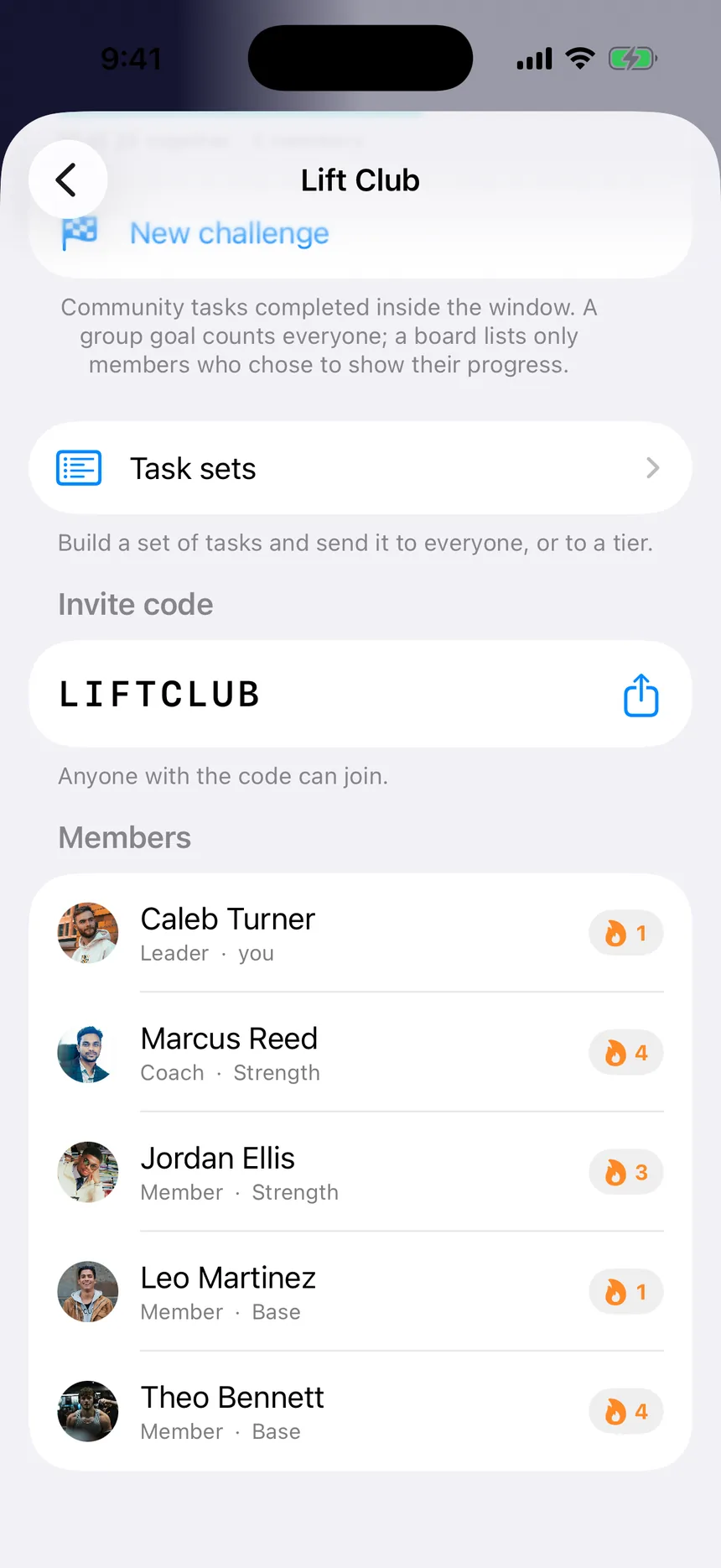
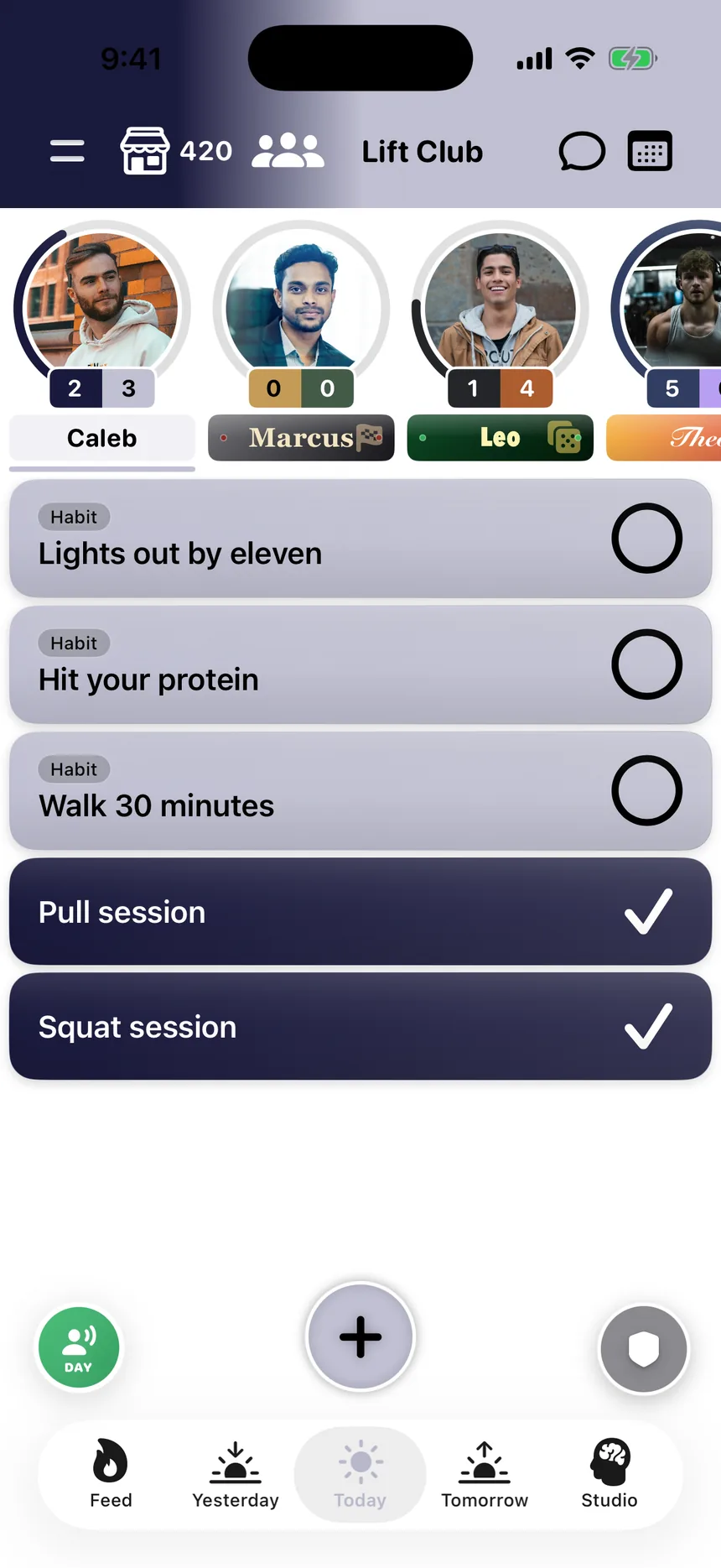
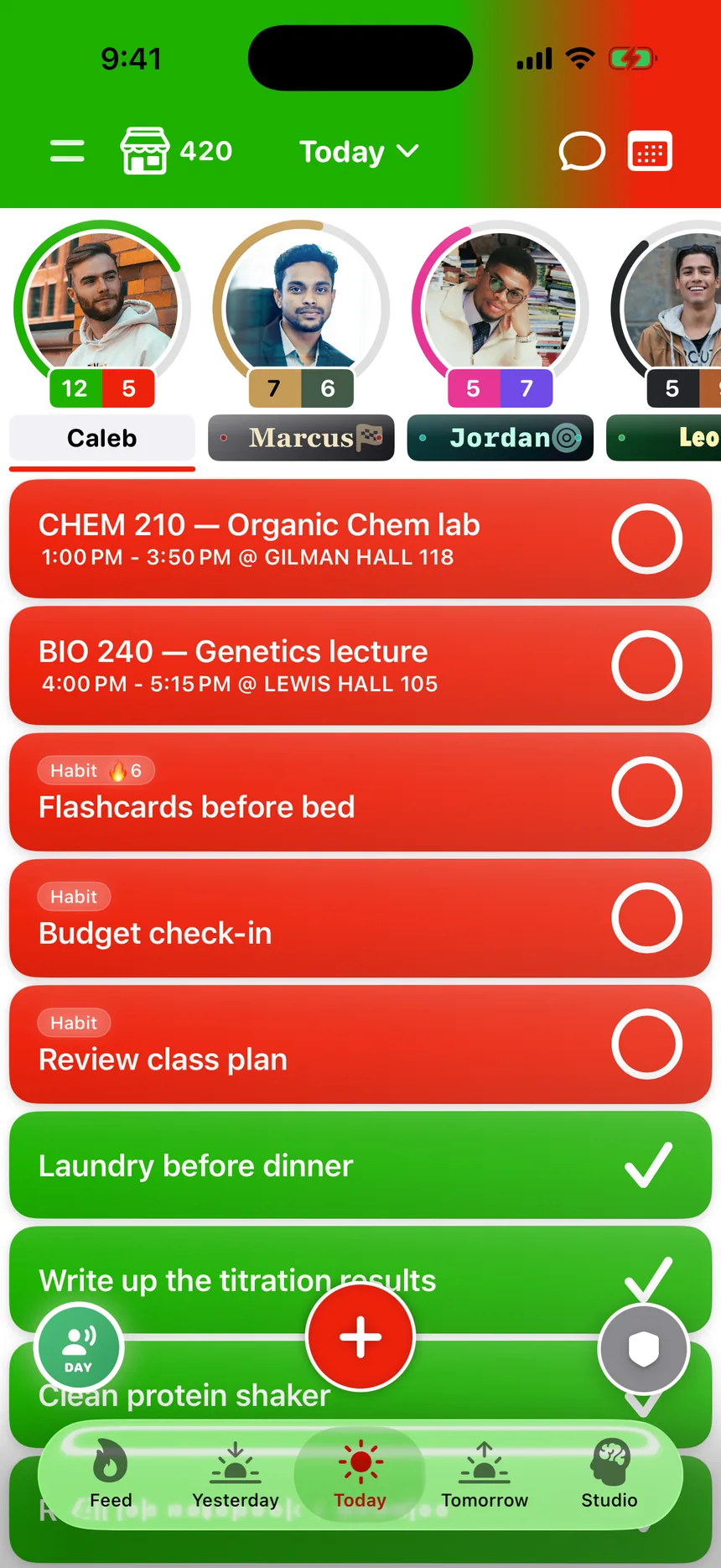
TaskSocial is the app your members already run their day in — work, school, the gym, the side project. Start a community inside it and your tasks sit right beside theirs, every time they open it. Not a server they forget to check. The list they can't put down.
Why members stay
They come for your community. They stay for their day.
Every other community platform has to win a member's attention back each time. TaskSocial already has it — because it's where they plan everything else.
A reason to open it every day
Chat servers and course platforms wait for members to remember them. Your members open TaskSocial to check off work, school and the gym — so your community is one tap away, all day, without a single notification.
Your work, in their list
What you send lands in the same list as the rest of their life, not in a separate app they have to switch to. Doing your program becomes part of doing their day.
Accountability that's real
Members see each other finish things — streaks, check-ins, the work itself. Not a feed of posts about the work. A feed of the work.
What you get
Everything to run it, from your phone or your laptop
Send the work, not a post
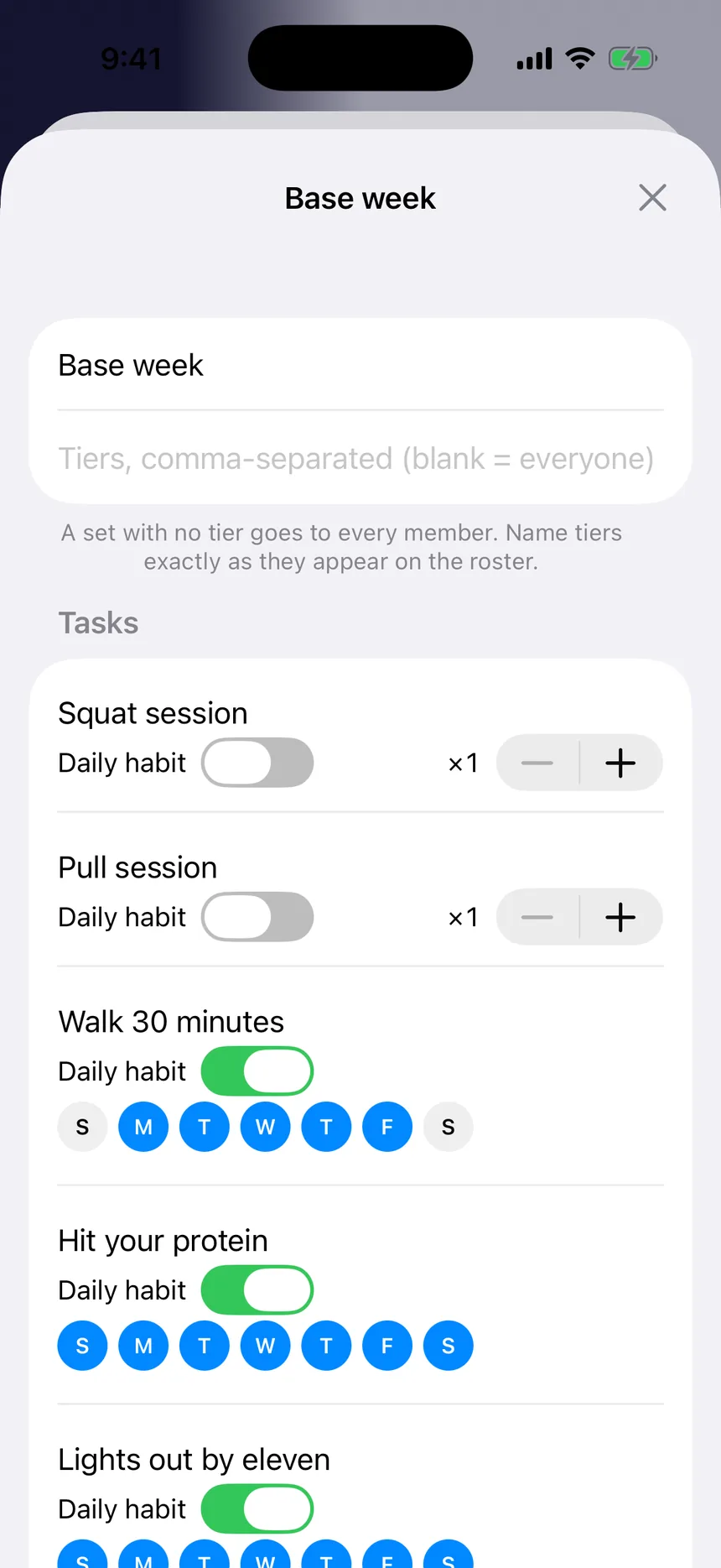
Build a week of tasks once — workouts, reading, habits, whatever your people are working on — and send it to everyone, or just to one tier. Every member works through their own copy. Change it later and the update arrives as an offer, so nobody's list gets rewritten under them.
Know who's actually showing up
See what every member finished this week, how long their streak is, and when they were last active — in the app, or from a laptop in the leader portal. Spot the ones drifting before they're gone, and see who's carrying the whole group.
Lock the apps that steal their time
Focus Mode lets members lock the apps that pull them away — Instagram, TikTok, whole categories — until the tasks you set are done. No other community platform can reach that far into the hour that matters.
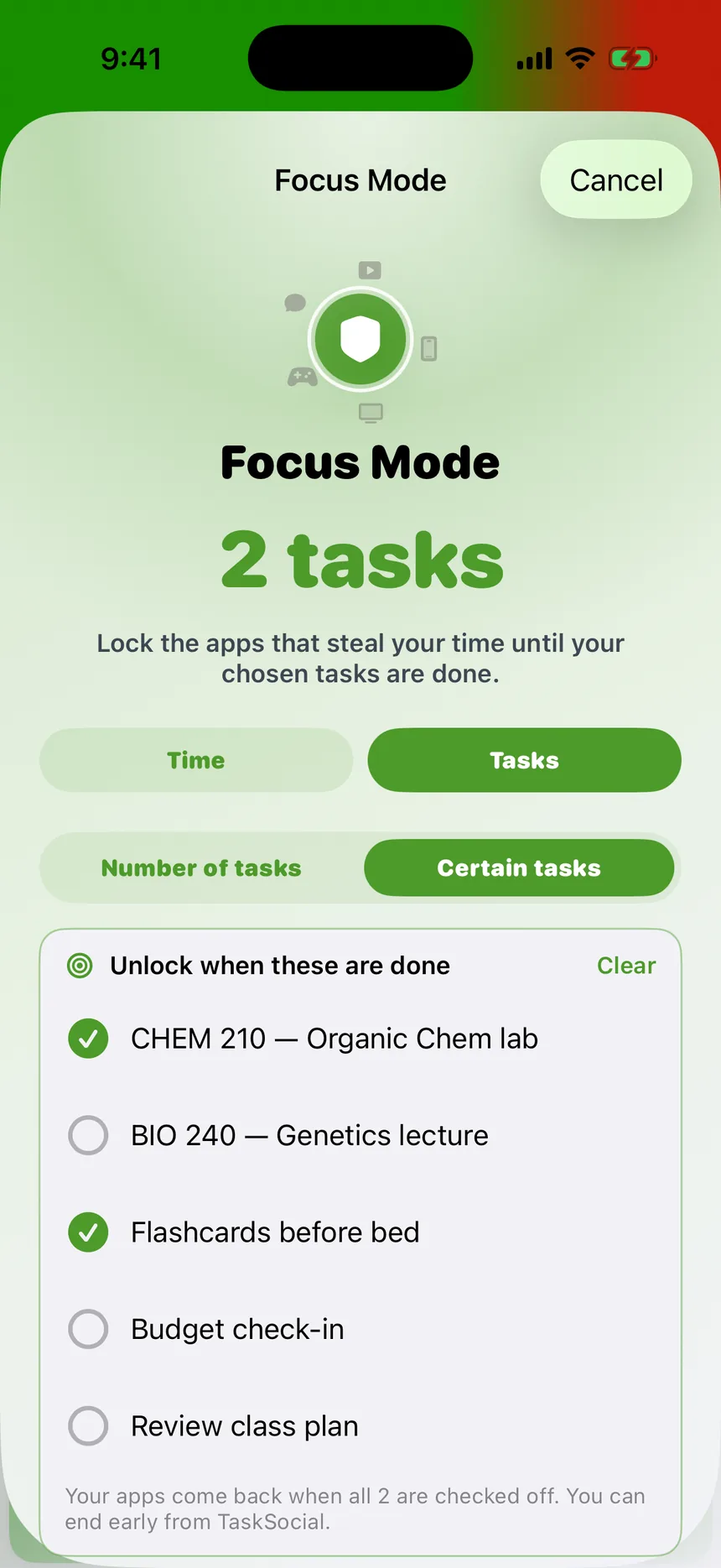
A space they actually want to open
Animated backgrounds, cell colors, textures, borders, check-off animations and nameplates — members make TaskSocial look like theirs, and earn more of it by showing up. People return to things that feel like their own. That's retention you don't have to build.
Challenges
A window and one number the whole community pushes toward — or a leaderboard for the competitive ones.
Goals and rules
Say what the community is working toward and how it runs, in one place members can always find.
A shared library
Videos, PDFs and links on a shelf every member can reach.
Journal prompts
Ask your community a question. You only ever read the answers members choose to share.
Tiers
Send different work to beginners and veterans without running two communities.
Safe by design
Members choose who sees their progress. Anyone can be reported or blocked, and their private list never crosses into yours.
How it compares
Built for doing, not just talking
Most community platforms are a feed and some rooms. That's the part everybody has. Here's the part nobody else does.
| Feature | TaskSocial | Chat serverslike Discord | Course platformslike Skool | Coaching appsfitness & training |
|---|---|---|---|---|
| Members' own daily task list | Their whole day | — | — | Your program only |
| A reason to open it outside your community | Every day | Notifications | — | During the program |
| Work each member completes | Task sets | — | Lessons | Workouts |
| Locks distracting apps until the work is done | Focus Mode | — | — | — |
| Deep personalization | Themes, effects, nameplates | Some | — | — |
| Private journal, goals and weekly reports | Built in | — | — | Some |
Getting paid
Free to start. Built to earn.
Starting a community costs nothing. Paid memberships are on the way: you'll set your own price, members will pay on the web, and payments are handled for you — you never touch a card number. We'll walk you through exactly how the numbers work when we talk.
How it works
From application to your first members
Apply
Tell us about your people below. A person reads every application — this isn't a form into a void.
Build it
Once you're approved, start your community in the app. Name it, write the rules, and send the first week.
Share your code
Members join with an eight-character code. From there you can see exactly who's showing up.
Apply to lead a community
Create your TaskSocial account first — we tie approval to your username. The application takes about five minutes. Most of it is picking, not typing, and a person reads every answer.
What we look for
A real group of people and a clear reason for them to be in one room — a gym, a class, a team, a cohort, an audience that wants to change something together. We're approving a small number to start, so the paragraph matters more than the follower count.
Questions first?
Write to help@redgreen.app and ask before you apply.
Common questions
What does it cost to start a community?
Nothing. Starting and running a community is free. Paid memberships, where your members pay to join, are on the way — we'll go through how that works with you directly.
Can my members use TaskSocial for things outside my community?
Yes, and that's the point. Their own tasks, habits, goals and journal live in the same app as your community, and anything they keep for themselves stays private to them. Your community is part of their day, not a separate place they have to remember to visit.
Do I need an account before I apply?
Yes. Approval is tied to your username, so there has to be an account to tie it to. Download TaskSocial, create an account, and your username is on your profile — that's the one to give us.
Do the people who join need to be approved too?
No. Only starting a community is reviewed. Once yours exists, anyone with the join code is in — they never see any of this.
Do my members need an iPhone?
For now, yes — TaskSocial is iPhone-only. As a leader you can also run your community from a laptop in the leader portal.
What if my username doesn't match anything?
We'll email and ask rather than turning you down. Check it against your profile in the app before you send, and it saves a round trip.
How long does it take?
A person reads every application, so it's days rather than minutes. You'll hear back by email either way.
What happens after I'm approved?
The option to start a community appears in the app the next time you open it, and you name and build it yourself. We don't create it for you.