
TaskSocial vs Sunsama
Sunsama is a daily planner that walks you through planning each day: pull in tasks, time-block them on your calendar, and shut down at a set time. TaskSocial is a to-do list you do with friends, with habits, streaks and Focus Mode to lock distracting apps.
 TaskSocialSSunsama
Side by side
| TaskSocial | Sunsama | |
|---|---|---|
| What it is | A to-do list you do with friends: tasks, habits and streaks, with friends who see when you finish. | A guided daily planner that puts your tasks on your calendar. |
| Platforms | iPhone and iPad. | Mac, Windows, Linux, iPhone, iPad and Android. The phone app is a companion to the desktop app. |
| Price | Free. Optional TaskSocial Plus adds Focus Studio (journal, goals, weekly report) and solo Focus Mode. | No free plan. Pro is $17 a month billed yearly or $22 billed monthly, after a 14-day trial. |
| Blocks distracting apps | Yes. Focus Mode uses Apple's Screen Time to lock the apps you pick until the time is up or your chosen tasks are checked off. Free when you lock in with a friend; solo sessions are part of Plus. | No app blocking. Focus mode is a distraction-free view of one task, with a timer. |
| To-do list and habits | Yes: tasks, daily habits and streaks. | Tasks time-blocked on Google or Outlook Calendar, with daily planning and shutdown rituals. No habit tracker. |
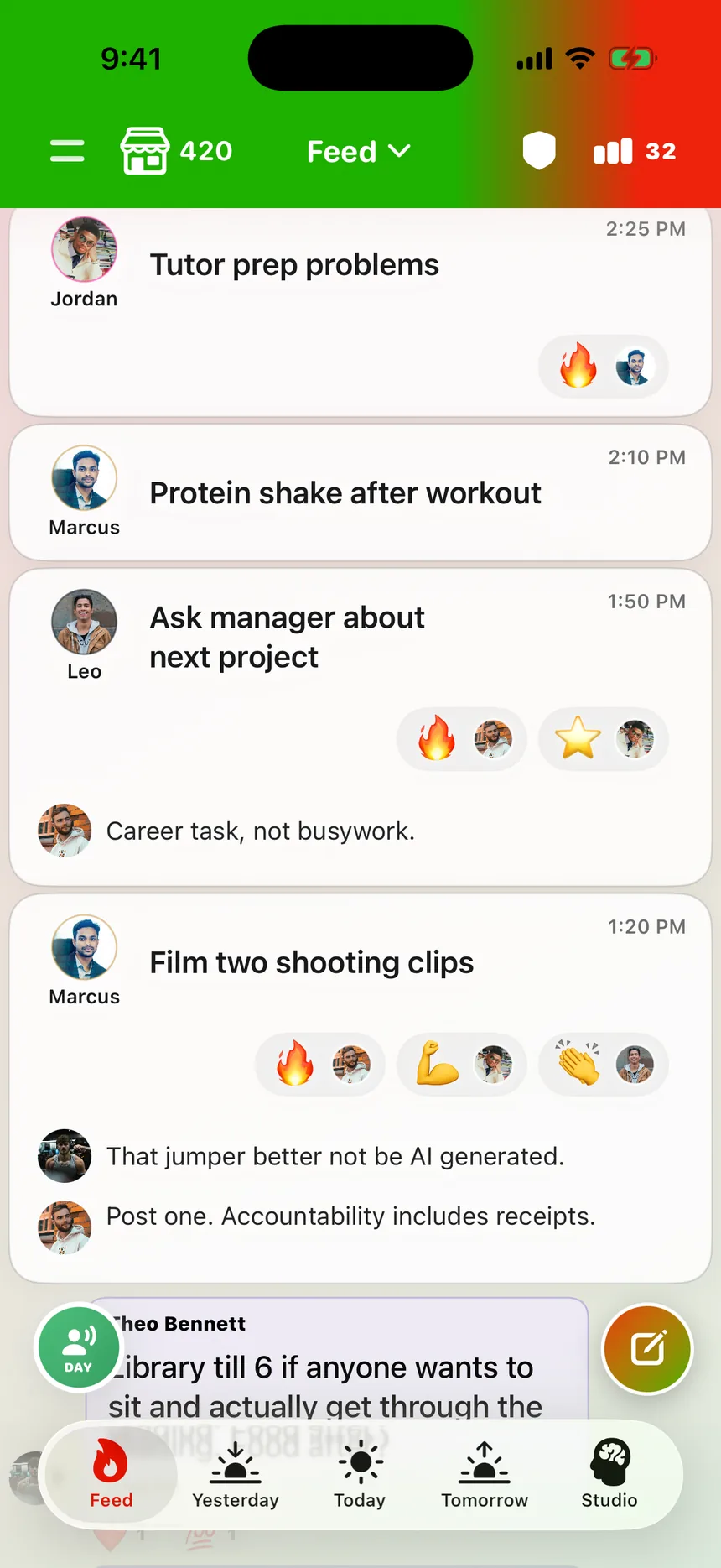
| Friends and accountability | Friends see your finished tasks and daily check-ins, cheer and nudge. Lock in on Focus Mode together. Communities led by coaches, with live sessions and Q&A. | You can share your daily progress to Slack at shutdown. No friends feed. |
Sunsama: 4.5 stars from 529 ratings on the US App Store.
SPick Sunsama if
- You plan your workday at a computer and want it time-blocked on your calendar.
- You like a guided ritual to start and end each workday.
- You want your tasks from other work tools pulled into one plan.
Pick TaskSocial if
- You want something on your phone, without a desktop app.
- You want friends to see what you finish, cheer and nudge.
- You want Focus Mode to lock distracting apps until your tasks are done.
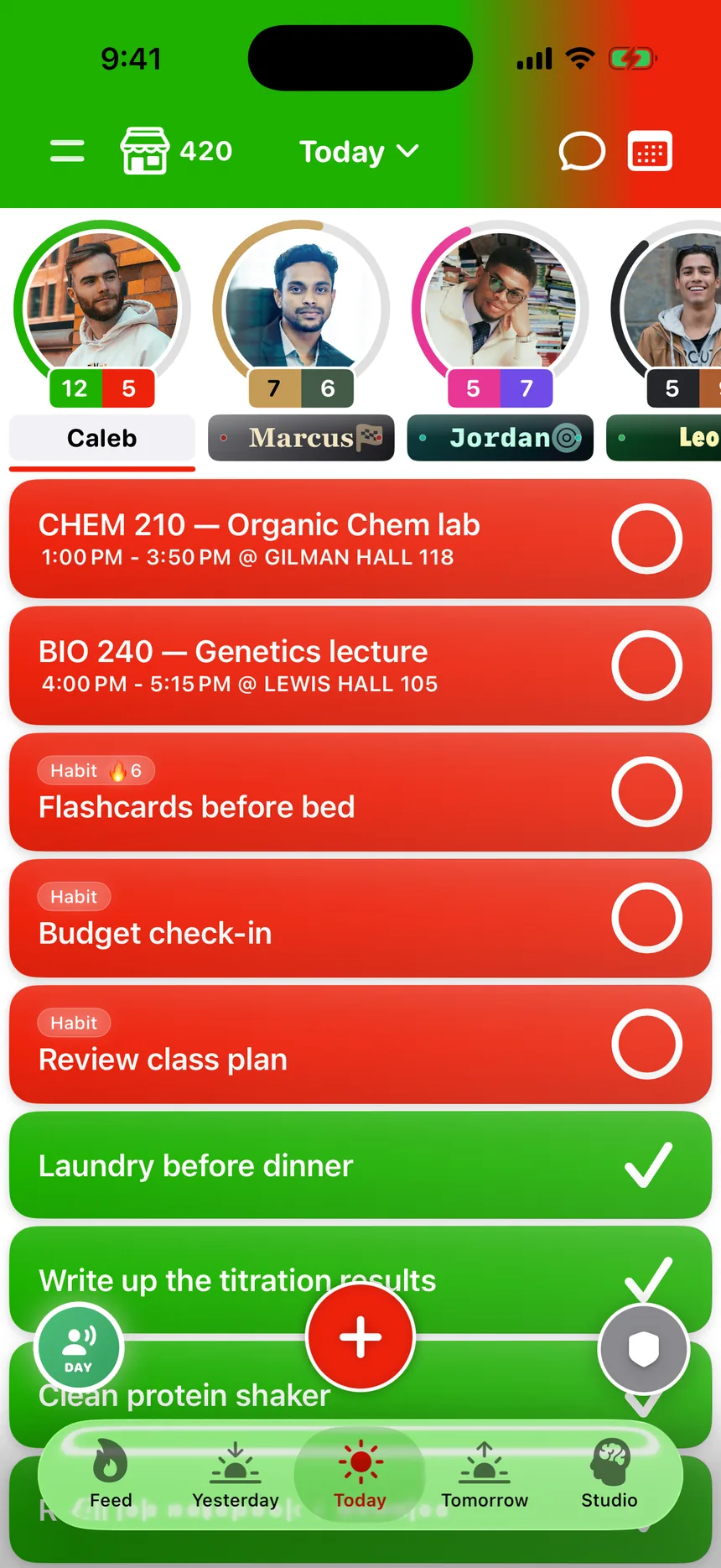
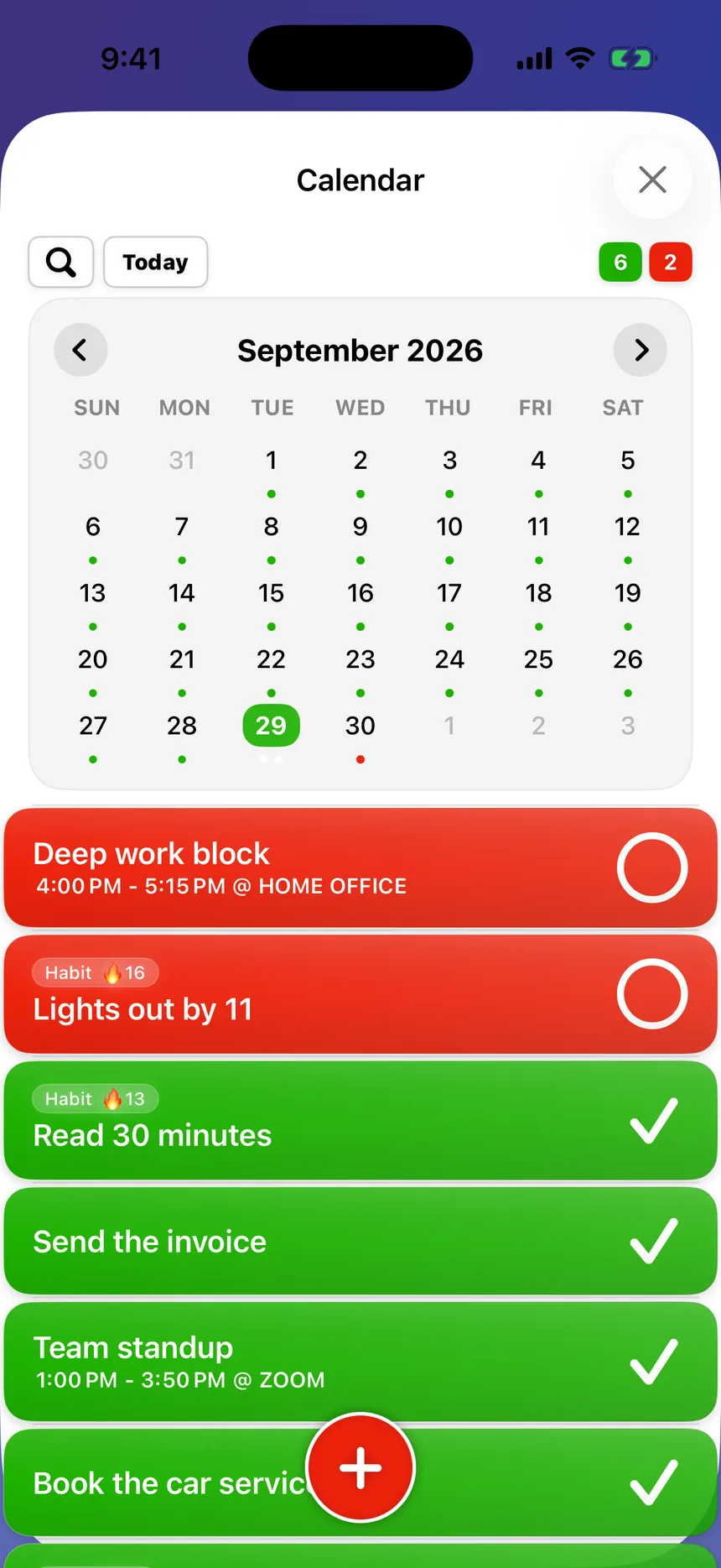
What TaskSocial looks like
Or use both
Sunsama is built for the workday at your desk. TaskSocial covers the personal goals and habits, with friends who see you keep them.
Common questions
What's the difference between TaskSocial and Sunsama?
Sunsama is a daily planner that walks you through planning each day: pull in tasks, time-block them on your calendar, and shut down at a set time. TaskSocial is a to-do list you do with friends, with habits, streaks and Focus Mode to lock distracting apps.
How much does Sunsama cost?
No free plan. Pro is $17 a month billed yearly or $22 billed monthly, after a 14-day trial. TaskSocial is free; TaskSocial Plus is optional.
Does Sunsama block distracting apps?
No app blocking. Focus mode is a distraction-free view of one task, with a timer. TaskSocial's Focus Mode locks the apps you pick until the time is up or your chosen tasks are checked off.
Can I use Sunsama and TaskSocial together?
Sunsama is built for the workday at your desk. TaskSocial covers the personal goals and habits, with friends who see you keep them.
Try TaskSocial
Free on iPhone and iPad. Add a friend, put today's tasks on your list, and lock in.
Details about Sunsama were checked on November 22, 2026 against its website, help pages and US App Store listing. Prices and features change; check theirs before you decide. Sunsama is a trademark of its owner. TaskSocial isn't affiliated with it.